Prepia PTCB PTCE Exam Prep
- 4.7
- Rating
- 10.00K
- Installs
- Free
- Price
 Analysis by App-foxy
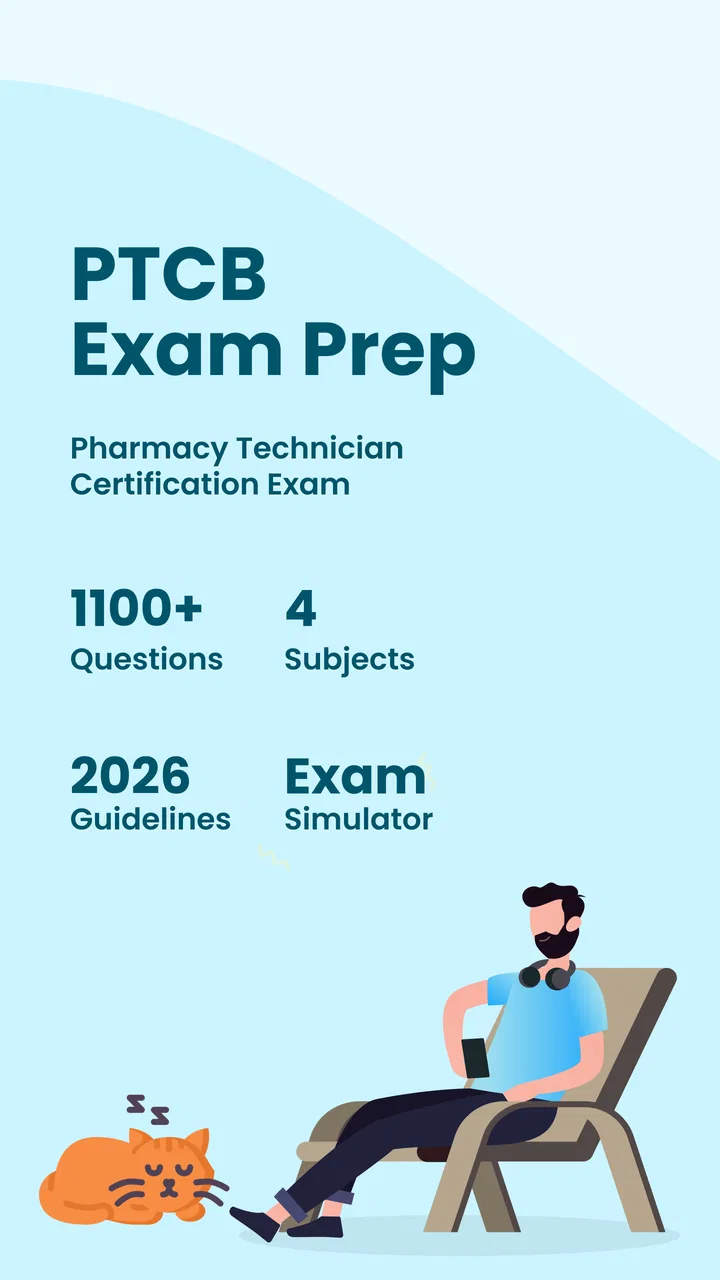
Studying for the pharmacy technician certification exam is easier when practice fits into the small gaps of the day, and that is the role I found for Prepia PTCB PTCE Exam Prep. It is a free Education app from Prepia Inc, built around practice tests for people preparing for the PTCB exam. I would not treat it as a complete replacement for a textbook, class, or official exam information, but I found it useful as a focused way to turn spare minutes into active revision.
The app’s appeal is straightforward: instead of waiting for a long study session, I could open it, answer a few questions, and see which areas needed more attention. That makes it particularly practical for a student who studies during a commute, a lunch break, or after a shift in a pharmacy. Its store summary points toward a large collection of questions aimed at the 2026 exam, while the short description identifies it as Prepia PTCB PTCE. The important distinction is that the app is a practice companion, not a promise that passing will happen without broader preparation.
What the app feels like as a study companion
My first impression was that the app is most valuable when used with a plan. Opening random practice questions can feel productive, but it does not automatically create a balanced study routine. I got more from it when I decided in advance whether I was checking general readiness, reviewing a weak topic, or simulating the pressure of answering continuously.
You May Also Like

 Pandora - Music & Podcasts
Pandora’s Music Is Easy to Start, but Harder to Recover
Pandora’s strength is its low-effort path from a seed to a station. Its weak spot is how much confidence it asks you to place in connection, setup, and quiet recovery.

 8 Ball Pool
 Is Built on Rivalries, Rematches, and Routine
A close look at the rivalries, rematches, shared routines, and unanswered safety questions that turn a quick pool match into a persistent mobile community.

 Samsung Music
’s Quiet Strength Is Playing What You Already Own
Its reach comes less from spectacle than from dependable access to a personal library. That simplicity is both the app’s strongest retention engine and its ceiling.

 AccuWeather: Weather Radar
AccuWeather Review: A Quick, Clear Forecast for Everyday Decisions
For everyday plans, the best forecast is the one you can understand quickly. AccuWeather makes rain timing, radar, and local conditions easy to act on, with a few trade-offs.

 Hill Climb Racing
Why Hill Climb Racing Still Turns Crashes Into One More Run
A tiny car, a bumpy hill and one more upgrade: Hill Climb Racing keeps resurfacing because its simple chaos makes every near-miss feel personal.

 AliExpress - Shopping App
AliExpress Makes Global Shopping Feel Personal, but Shoppers Bear the Risk
AliExpress turns a global marketplace into a pocket-sized discovery engine. Its reach is useful, its shopping loop compelling, and its trade-offs easy to miss.
More From Our News Desk
View All News


That flexibility suits the way many pharmacy technician students actually study. A full chapter in a book requires concentration and uninterrupted time. A question-based app can be used in shorter bursts. I could use a quick session to warm up before reading a difficult subject, then return later to test whether the material had stayed with me. This makes the app less of a standalone course and more of a repeatable checkpoint.
The free entry point also lowers the risk of trying it. You can see whether its question style fits your learning habits before deciding whether additional paid material is worthwhile. The app has a 4.7 average from over 280 ratings, with more than 30 written reviews, and it has passed 10 thousand installs. Those figures suggest that it has found an audience, although they should not be confused with proof that every question will match your personal needs or the exact exam experience.
I especially liked the possibility of using practice results as a signal rather than as a score to chase. When I missed a question, the useful follow-up was not simply memorizing the correct option. I had to ask whether the problem came from unfamiliar terminology, a calculation mistake, rushing, or confusing two similar pharmacy concepts. That small change in approach makes repeated practice much more effective.
Who is likely to benefit most
This app is a good fit for someone who already knows the basics and needs frequent retrieval practice. It can also help a beginner discover which subjects feel unfamiliar before investing time in a more structured study plan. Students who prefer learning by answering questions will probably find it more engaging than rereading notes.
It is less suitable for someone starting with no foundation at all and expecting the app to teach every concept from the ground up. Practice questions can expose a gap, but they do not always explain the full chain of reasoning behind the answer. If you do not understand why an option is correct, repeating similar questions may create the illusion of progress without building dependable knowledge.
I would also be cautious about using it as the only preparation tool. A certification candidate needs more than recognition of familiar answer patterns. Reading reference material, working through calculations carefully, reviewing pharmacy law and safety topics, and checking current official exam guidance remain important. The app works best when it is placed inside that wider routine.
A realistic study routine
Imagine a technician trainee with a full workday and only fifteen minutes before an evening class. I would use those minutes for a short set of questions, marking each uncertain answer mentally rather than guessing quickly and moving on. After the session, I would write down the subject behind every mistake. Later that night, I would review that subject from a trusted study source and return to the app the next day to see whether the same type of question still caused trouble.
That workflow avoids one of the common traps in exam apps: treating completion as learning. The goal is not to finish the largest possible number of questions. The goal is to identify repeatable errors. For example, if I repeatedly miss questions because I skim dosage wording, I would slow down and underline the units on paper during separate practice. If I confuse drug names, I would create a small comparison sheet instead of relying on another round of guessing.
A second useful routine is to separate confidence from certainty. I might answer a question correctly but still feel unsure. That answer deserves review just as much as an incorrect one. Keeping a simple list of “correct but uncertain” items can reveal weak knowledge that a basic score hides. This is one of the strongest ways to use a question bank without letting its score become the whole study strategy.
How I would use the question bank intelligently
Practice apps can encourage rapid tapping, especially when the questions look familiar. I found it better to pause before choosing an answer and explain the reasoning in my own words. Even a silent explanation helps distinguish genuine understanding from recognition of a phrase seen earlier.
I would also avoid taking every session under identical conditions. Short sessions are excellent for recall, but occasional longer sessions are useful for noticing fatigue and concentration problems. If performance drops late in a session, that does not necessarily mean the subject is weak; it may show that pacing needs work. Conversely, a strong result in a very short session may not reflect readiness for sustained exam attention.
Another practical tip is to keep a separate error log outside the app. I would record the topic, the mistake, and the correction in one or two sentences. This matters because question banks often show what went wrong in the moment, while a personal log shows patterns across several days. It also protects against forgetting a lesson once the next question appears.
Where it compares well with familiar alternatives
Compared with printed flashcards, this app is quicker to start and better suited to mixed practice. I do not need to shuffle cards or decide which stack to carry. Compared with a textbook, it is more active and immediately exposes whether I can retrieve an answer. Compared with watching lectures, it demands a response rather than allowing me to remain a passive listener.
Those advantages come with trade-offs. A textbook usually gives more context, diagrams, explanations, and carefully ordered instruction. A class or video course can demonstrate a calculation or explain a confusing distinction step by step. Printed notes are easier to annotate and may be more comfortable during a long study block. I would choose this app for repetition and self-testing, then use those alternatives when I need depth.
It also differs from an official exam resource in purpose. A practice app can help me become comfortable with question-based revision, but official information is the better place to confirm eligibility, scheduling, current policies, and the exact structure that applies to my exam attempt. That separation is important: convenience should not replace authoritative guidance.
Trust, privacy, and visible control
When I review an education app, I do not judge trust only by its rating or appearance. I also look at what choices are visible during use: whether an account is required, whether sign-in can be avoided, what information is requested, and whether purchase prompts are clear. With this app, I would make those checks directly on the device before entering personal details or paying for anything.
The app is free to install, but it includes in-app purchases ranging from $4.99 to $59.99 per item. That makes it important to distinguish between access to the app and optional paid material. I would read each purchase screen carefully, confirm what a particular item unlocks, and avoid assuming that paying automatically provides a complete certification course. On a shared phone, I would also check the device’s purchase authentication settings so that an accidental tap cannot become an unwanted charge.
For privacy-sensitive users, the sensible approach is to use the minimum information needed for the functions they actually want. I would not enter professional, employment, or exam-identifying details simply because an education app appears to offer a profile field. If the app presents account controls, I would review them before creating a login and look for a clear way to manage or remove the account later.
I also recommend checking permissions when installing or updating. An exam-preparation tool should be judged by the permissions it visibly requests on your device, not by assumptions based on its category. If a permission seems unrelated to answering questions, I would deny it where the operating system allows that choice and see whether the core study experience still works. This is a practical trust check, not a claim about permissions the app does or does not request.
Data-sensitive moments during everyday use
The most sensitive moments are usually not the questions themselves. They are sign-up, payment, synchronization, notifications, and any screen that asks for personal information. I would pay attention when creating an account, entering an email address, restoring a purchase, or accepting optional communication. These are the points where a user should slow down and read instead of tapping through automatically.
Notifications deserve the same attention. Reminders can help establish a study habit, but I would choose a schedule that supports concentration rather than turning revision into constant interruption. If notifications display study topics or progress on a shared lock screen, I would consider whether that reveals more than I want others to see. Small settings choices can make the difference between a comfortable study tool and an intrusive one.
I would also be careful with screenshots or copied notes if they contain account information, purchase confirmations, or personal progress. Keeping an error log is useful, but it should contain study observations rather than unnecessary identifiers. That habit is especially sensible for students using a shared tablet, a family device, or a phone connected to a workplace environment.
Compatibility, cost, and practical limitations
The app is available free of charge, supports devices running Android 7.0 or later, and is currently at version 2.1.020. Those details make it accessible to people using older Android hardware, although actual comfort will still depend on the phone’s screen, battery condition, and available storage. I would update only through the normal app store process and check that the app continues to behave as expected after an update.
The paid range deserves a deliberate decision. Someone who only wants occasional practice may find the free experience sufficient, while a serious candidate might consider additional material if it clearly addresses a real weakness. I would first use the available practice to identify that weakness, then compare the cost of an in-app item with a book, class, or other structured resource. Buying everything at once is rarely a good study strategy.
There is also a psychological limitation to question-bank learning: repeated exposure can make answers feel familiar even when the underlying idea remains unclear. I would counter that by changing the order of study, explaining answers aloud, and solving calculations on paper. If the app offers an explanation, I would treat it as a starting point and verify difficult or high-stakes information through dependable pharmacy references.
Because the app is rated for Everyone, it is broadly approachable from an age-label perspective. That does not mean every learner will find the material equally easy. A younger student, a career changer, and an experienced pharmacy worker may need very different levels of explanation. The app’s usefulness depends more on prior knowledge and study discipline than on the age label.
Questions I would answer before recommending it
Would I use it without an internet connection? I would check that personally before planning an offline study session rather than assuming that every question or result is stored locally. If reliable access matters during travel, I would test the exact workflow in advance. A study plan built around a train ride is only useful if the app behaves as expected when connectivity changes.
Does installing it mean I need an account? I would look at the first-run screens and choose the least intrusive route that still preserves the features I want. If an account is required for progress or purchases, I would use a dedicated email address and a strong, unique password rather than reusing a workplace credential.
Are the questions enough to guarantee exam readiness? No study app can honestly replace a complete preparation plan. I would use the app to measure recall, find weak areas, and build speed, then confirm content and exam logistics through authoritative sources. A high practice score is encouraging, but it is not a substitute for understanding.
Is paying worth it? For me, the answer depends on whether the paid material solves a specific problem. I would not pay simply because a purchase screen appears. I would compare the added content with the free practice, consider how much time remains before the exam, and make sure the transaction is protected by the device’s purchase controls.
Can beginners use it? Yes, but beginners should expect to supplement it. When a question introduces an unfamiliar drug, calculation, or rule, I would pause the quiz and study the concept elsewhere. Using the app as a diagnostic tool is more realistic than expecting it to provide every explanation in a carefully graded learning sequence.
My cautious recommendation
Prepia PTCB PTCE Exam Prep is a practical option for pharmacy technician candidates who want frequent question practice without paying upfront. I like its strongest use case: short, repeatable sessions that reveal what I can recall and where I need more work. The free starting point, broad Android compatibility, and focused Education category make it easy to test as part of a larger plan.
My recommendation is conditional rather than absolute. I would install it if I were preparing for the PTCB exam and already had, or planned to obtain, reliable learning material for explanations and official details. I would keep an error log, review uncertain answers, protect purchase settings, and inspect visible account and permission choices before sharing personal information.
Use it as a disciplined practice instrument, not as your entire preparation strategy. That distinction captures both its value and its limit. If you want quick retrieval practice and a way to make spare minutes useful, it is worth trying. If you need a complete course, extensive teaching, or authoritative exam administration guidance in one place, I would choose a more structured resource and use this app only as a supplement.
FAQs for Prepia PTCB PTCE Exam Prep
01What is Prepia PTCB PTCE Exam Prep?
Prepia PTCB PTCE Exam Prep is a mobile study app designed to help pharmacy technician candidates prepare for the Pharmacy Technician Certification Exam, commonly known as the PTCE. It typically combines practice questions, topic-based review, explanations, and progress tracking in one place, making it useful for learners who want structured revision on an Android or iOS device.
02Does Prepia cover the main topics included in the PTCE?
The app is intended to support preparation across the core areas tested on the PTCE, such as medications, federal requirements, patient safety and quality assurance, and order entry or pharmacy information. Before relying on it as your only study resource, compare its current content with the official PTCB exam outline, since certification requirements and exam emphasis may change over time.
03Is Prepia PTCB PTCE Exam Prep suitable for beginners?
Yes, the app can be helpful for both beginners and candidates who are reviewing before their exam. Beginners may use the explanations and practice questions to identify unfamiliar concepts, while experienced pharmacy technicians can use timed quizzes and repeated practice to refresh their knowledge. However, users with no pharmacy background may still need a textbook, course, or instructor for deeper explanations.
04Can I use the app without an internet connection?
Offline availability depends on the specific version and the features provided by Prepia. Some study apps allow previously downloaded questions or lessons to be used without a connection, while progress synchronization, advertisements, account features, or newly loaded content may require internet access. Check the app’s current store description and test the download options before studying in an offline location.
05Is Prepia enough to pass the PTCB exam?
Prepia can be a convenient supplement for practicing questions, reviewing weak areas, and building familiarity with exam-style tasks, but no preparation app can guarantee a passing result. Your outcome will also depend on consistent study, understanding pharmacy calculations and medications, reviewing official PTCB requirements, and taking realistic practice tests. Use the app alongside authoritative study materials whenever possible.
Pros
- Covers key PTCE topics with focused practice questions.
- Includes explanations that help reinforce correct answers.
- Useful for short study sessions during commutes or breaks.
- Progress tracking makes it easier to monitor preparation.
- Works well as a supplementary tool alongside textbooks and classes.
Cons
- Some content may require a paid subscription or in-app purchase.
- Question difficulty may not always match the actual PTCE exam.
- Limited value for learners who need extensive theory lessons.
- Requires consistent self-study to deliver meaningful results.
- Users should verify updates against the latest PTCE exam blueprint.

Prepia PTCB PTCE Exam Prep
Gallery